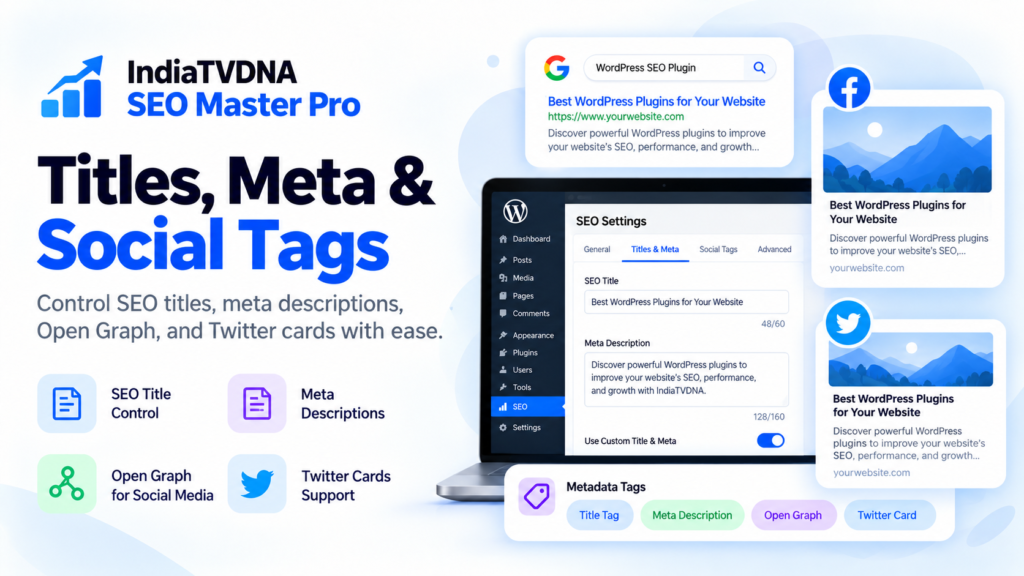
WordPress SEO Titles, Meta Descriptions and Canonical URLs: Complete Guide. Search snippets are often a visitor’s first impression of your website. A descriptive title, useful meta description and sensible canonical strategy can make a page easier to understand. Here is a repeatable process for working with those fields in WordPress, including where Search Optimization Toolkit Pro fits in.
SEO title versus visible page heading
The <title> element normally appears in the browser tab and can influence the title link displayed in search results, although search engines may choose different wording. The visible H1 is a page heading for readers. They can be similar, but both should accurately represent the page. For an article about fixing a slow WooCommerce checkout, for example, an accurate title such as “How to Diagnose Slow WooCommerce Checkout” is more useful than a vague promise such as “Amazing Secret Fix”.
Write compelling titles without keyword stuffing
- Put the topic and reader intent first.
- Use a specific, accurate promise about what the page covers.
- Keep titles distinguishable from other pages on the site.
- Add the brand only when it genuinely helps clarity.
- Preview desktop and mobile truncation; there is no magical universal character limit.
In the AajTakDNA product listing, Search Optimization Toolkit Pro includes title-tag controls for posts, pages, categories, tags and products. Review the actual title output after saving your preferred format.
Meta descriptions: persuade, do not repeat
A meta description can summarize a page’s most relevant benefit. It should be written for a person deciding whether to visit, not as a list of repeated keywords. Google may construct a snippet from different on-page content, so even a perfect description is not guaranteed to be displayed verbatim. For example, for a WordPress XML sitemap tutorial, a useful description names the sitemap, the audit, and what a reader will learn to verify.
Understand canonical URLs
If the same or very similar material appears at multiple URLs, a canonical URL signals the preferred version. Common sources of duplicates include tracking parameters, filtered store listings, URL variants and reposted content. A canonical is a strong signal but not an absolute command. Pointing every URL to the homepage is not a sensible default. Review each class of duplicate and keep important standalone pages self-canonical when appropriate.
A practical product-category example
Suppose a store exposes /shop/shirts/ alongside a filtered URL with a color parameter. Before setting a canonical, decide whether the filtered view deserves to rank independently and whether it offers distinct value. Compare the selected URL with pagination, internal links and sitemap inclusion. Avoid broad canonical rules that accidentally hide legitimate category or product pages.
Exact review workflow in WordPress
- Open an important post or product and identify its search intent.
- Write a descriptive visible heading and corresponding SEO title.
- Add a unique meta description that accurately reflects the page.
- Inspect the generated canonical URL.
- Check live page source for duplicated tags or unexpected plugin output.
- Search for title duplicates across your own website.
- Revisit Search Console performance and update underperforming pages based on evidence rather than changing all titles at once.
Open Graph is related but not identical
Social networks use Open Graph metadata and other platform-specific tags to build link previews. A compelling social share headline can differ slightly from the organic search title while remaining truthful. The AajTakDNA listing describes Open Graph and Twitter Card settings, which can be used to coordinate preview text and images. Test actual shares where the platform provides a preview or debugging feature.
Errors worth preventing
Avoid blank metadata on key pages, duplicate titles from templates, a canonical that points to a 404, noindex on an important article, misleading clickbait snippets and accidental overlap from multiple active SEO plugins. An SEO plugin can organize inputs; the publisher remains responsible for content accuracy and page-specific review.
FAQ
Is there one correct SEO title length?
No single fixed limit is a ranking rule; clarity and readable display matter.
Will Google always show my custom meta description?
No, it can generate its own snippet.
Should all paginated pages canonicalize to page one?
No broad rule fits every site; assess pagination and discoverability carefully.
Explore Search Optimization Toolkit Pro on AajTakDNA
Compare 30-day, one-year and lifetime licenses for one website. Read the live product listing for current pricing, download requirements and the separately delivered commercial features.
Continue the WordPress SEO series
- Search Optimization Toolkit Pro for WordPress: Features, Setup and Plans
- WordPress XML Sitemaps, Robots.txt and Indexing: Safe Setup Checklist
- WordPress Schema Markup and Social Sharing SEO: Practical Guide
- WooCommerce SEO, Redirects and Search Console: WordPress Checklist
Editorial note: This guide is based on AajTakDNA’s published product listing and established WordPress/Google SEO guidance. Illustrations are conceptual, not screenshots of independently tested premium functionality. No search ranking, indexing, rich result or sales increase is guaranteed.
Leave a Reply